
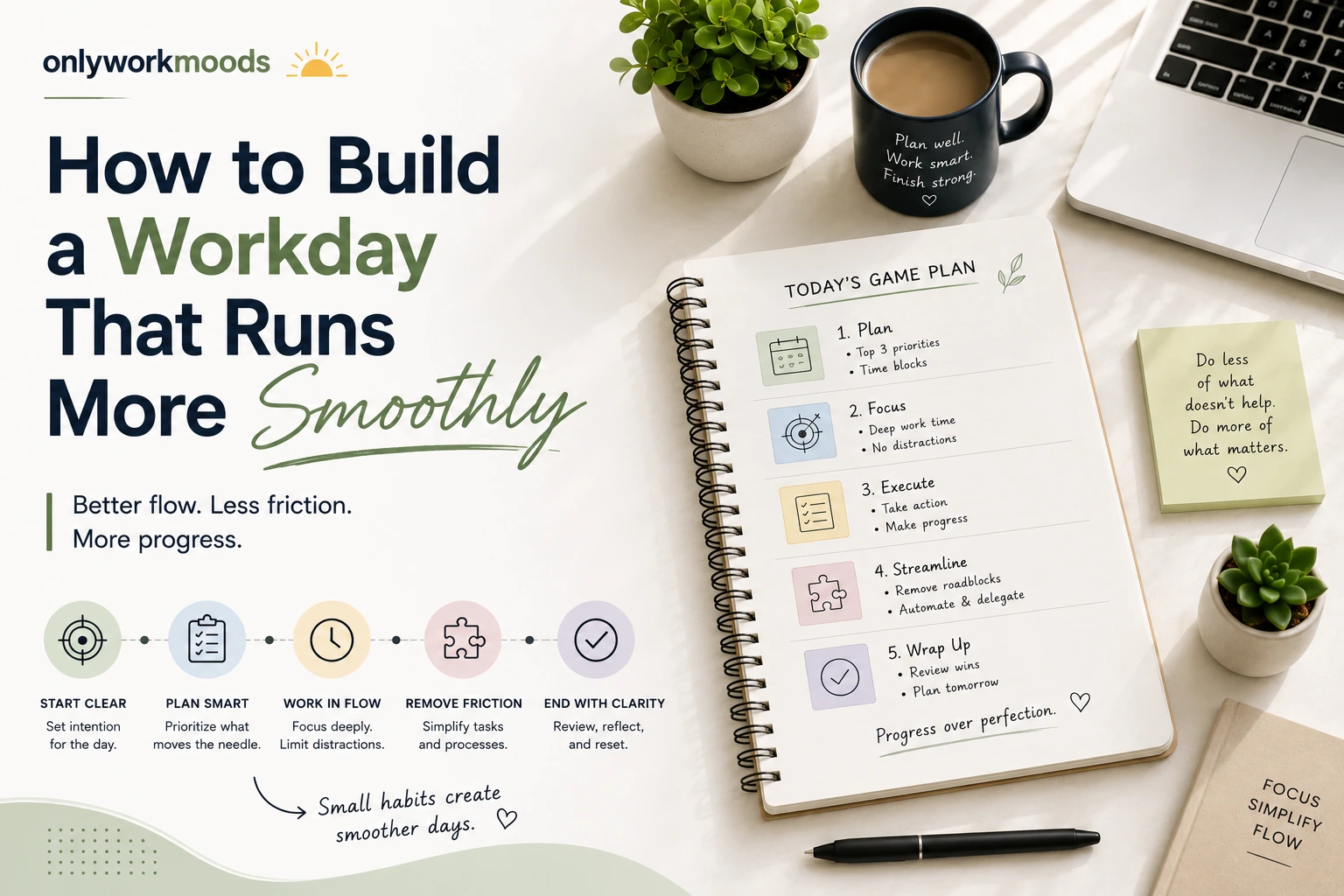
OnlyWorkMoods: How to Build a Workday That Runs More Smoothly.
Introduction
A workday does not have to feel chaotic to be productive. Sometimes the biggest problems come from small things: unclear priorities, too many interruptions, unfinished tasks, constant notifications, or simply not knowing what to work on next.
Creating a smoother workday is less about filling every minute with tasks and more about making your working hours easier to manage. A simple structure can help you understand your priorities, protect your focus, and leave enough flexibility for unexpected work.
In this OnlyWorkMoods guide, we will look at practical ways to organize your day without creating an overly complicated productivity system. Whether you work from home, in an office, or manage a combination of personal and professional responsibilities, these ideas can help you create a work routine that feels more manageable.
Why a Smooth Workday Matters
An organized workday gives you a clearer idea of where your attention should go.
Without a basic structure, it is easy to spend the first part of the day reacting to emails, messages, meetings, and small requests. By the time you reach an important project, much of your energy may already be gone.
A smoother approach helps you:
- Identify important tasks earlier.
- Reduce unnecessary switching between activities.
- Keep track of unfinished work.
- Create realistic expectations for the day.
- Make room for unexpected requests.
- Finish the day with a clearer sense of progress.
The goal is not to make every day perfect. The goal is to make your typical workday easier to navigate.
Start With Three Clear Priorities
One of the simplest workday organization tips is to decide what actually matters before getting caught up in smaller tasks.
Instead of creating a huge daily checklist, choose three important priorities.
For example:
- Finish the first draft of a report.
- Respond to important client messages.
- Prepare material for tomorrow’s presentation.
These priorities become your daily guide.
You may still have smaller tasks such as checking emails, making calls, updating documents, or attending meetings. However, the three priorities help prevent those smaller activities from taking over the entire day.
Why Three Priorities Can Work
A long task list can create the impression that everything needs immediate attention.
A short priority list forces you to distinguish between:
- Important tasks
- Routine tasks
- Optional tasks
This simple distinction can make planning much easier.
Separate Planning From Doing
Another useful habit is to give yourself a short planning period before starting focused work.
Planning does not need to take a long time.
At the beginning of your workday, ask yourself:
- What needs to be completed today?
- What has the highest impact?
- Are there any deadlines?
- What meetings or commitments are already scheduled?
- What could potentially interrupt my plan?
Once you answer these questions, you can begin working with a clearer direction.
The important part is to avoid turning planning into another form of procrastination. A short plan should lead directly into action.
Organize Your Tasks by Energy
Not every task requires the same amount of mental effort.
Writing, strategic thinking, problem-solving, analysis, and creative work may require more concentration than routine administration.
Instead of arranging your schedule only by time, consider arranging tasks according to the energy they require.
High-Energy Tasks
These might include:
- Writing
- Designing
- Research
- Strategic planning
- Complex problem-solving
- Important presentations
Lower-Energy Tasks
These might include:
- Organizing files
- Basic administrative work
- Scheduling
- Routine emails
- Updating records
If possible, place demanding work during a period when you usually have better concentration.
This approach can make your schedule feel more natural instead of forcing every task into an identical time block.
Stop Treating Every Notification as Urgent
Notifications can quickly change the direction of a workday.
An email arrives. Then a message appears. Then another notification demands attention. Each interruption may seem small, but repeatedly shifting your attention can make focused work harder.
You do not necessarily need to eliminate notifications completely. Instead, decide which ones deserve immediate attention.
Try Creating Notification Rules
For example:
- Keep essential work alerts enabled.
- Silence non-essential social notifications during focused work.
- Check email at planned points during the day.
- Use a separate alert for genuinely urgent matters.
The objective is simple: you decide when to give something your attention rather than allowing every notification to make the decision for you.
Give Your Workday Some Breathing Room
A common planning mistake is scheduling every minute.
It may look efficient on paper, but real workdays rarely follow a perfect timetable.
A colleague may need help. A client may ask an unexpected question. A meeting may run longer than expected. A technical problem may appear.
That is why flexibility matters.
Instead of planning your entire day around back-to-back tasks, leave some open space between important activities.
This gives you room to:
- Handle unexpected work.
- Take a short break.
- Finish something that runs over time.
- Reorganize your priorities.
- Catch up on unfinished tasks.
A realistic schedule is often more useful than an ambitious one.
Keep a Simple “Later” List
Not every idea needs to be acted on immediately.
You may suddenly remember something you want to research, a task you want to complete, or an idea for a future project.
If you stop your current task every time this happens, your attention can quickly become scattered.
Instead, keep a simple Later List.
Write down:
- Ideas
- Future tasks
- Questions
- Things to research
- Non-urgent reminders
Then return to your current task.
This gives your brain somewhere to put the thought without allowing it to interrupt your current priority.
Make Your Workspace Easier to Use
Productivity is not only about schedules and task lists. Your physical or digital workspace also influences how easily you can begin work.
You do not need a perfectly designed office.
Focus on reducing unnecessary friction.
Physical Workspace
Try to keep frequently used items within easy reach:
- Notebook
- Pen
- Headphones
- Charger
- Water
- Essential documents
Remove items that constantly distract you.
Digital Workspace
Your computer can become cluttered just as easily as your desk.
Consider organizing:
- Frequently used folders
- Browser bookmarks
- Desktop files
- Project documents
- Work applications
The goal is not perfection. It is easier access to the things you actually use.
Use One Reliable Place for Your Tasks
Managing tasks across several apps, notebooks, sticky notes, messages, and random documents can become confusing.
Choose one primary location for your task list.
It could be:
- A notebook
- A simple notes application
- A task-management tool
- A calendar
- A project-management platform
The specific tool matters less than consistency.
When you know where your tasks live, you spend less time trying to remember where you wrote something down.
Learn to Distinguish Urgent From Important
A task can feel urgent without being particularly important.
For example, a new message may require a quick response, while an important project may have a deadline several days away.
If you constantly prioritize whatever appears most urgent, long-term work can repeatedly get pushed aside.
Before starting a task, consider:
Does this need attention immediately, or does it simply need attention eventually?
That small question can help you make better decisions about where your time goes.
Create a Better End-of-Day Routine
Your workday does not have to end the moment you close your laptop.
A short closing routine can make tomorrow easier.
Before finishing work, take a few minutes to:
- Review what you completed.
- Move unfinished tasks forward.
- Check tomorrow’s major commitments.
- Write down anything you need to remember.
- Identify your first priority for the next workday.
This creates a clean stopping point.
It also means you are less likely to spend your evening thinking about everything you forgot to do.
A Simple Workday Structure
Here is an example of how you could structure a typical day:
| Part of the Day | Main Focus |
|---|---|
| Start of day | Review priorities and schedule |
| Early work period | Important focused task |
| Midday | Meetings, communication and routine work |
| Later work period | Second major task or project |
| Final work period | Administration and follow-ups |
| End of day | Review and prepare for tomorrow |
This is only a framework. Your ideal schedule depends on your job, responsibilities, working hours, and personal energy patterns.
What to Do When Your Day Goes Off Track
Even the best plan can fall apart.
The solution is not to abandon the entire schedule.
Instead, pause and reset.
Ask:
1. What has changed?
Identify the new request, deadline, or problem that affected your plan.
2. What still matters?
Look at your original priorities and determine whether they remain relevant.
3. What can move?
Some tasks may be postponed without causing a serious problem.
4. What should I finish today?
Choose the most valuable remaining work rather than trying to complete everything.
This approach prevents one unexpected interruption from turning into an unproductive day.
Small Habits Can Make Work Easier
You do not need to completely redesign your routine.
Start with one or two habits.
For example:
- Plan tomorrow before finishing today.
- Choose three priorities each morning.
- Keep one central task list.
- Silence unnecessary notifications.
- Group similar administrative tasks.
- Leave space between commitments.
- Keep a short Later List.
- Review unfinished work at the end of the day.
Once these habits become comfortable, you can add others.
The OnlyWorkMoods approach is simple: build a work system that supports the way you actually work instead of creating a complicated system that is difficult to maintain.
Practical Example: Turning a Messy Day Into a Manageable One
Imagine starting Monday with 15 tasks, dozens of emails, two meetings, and a project deadline.
Instead of trying to complete everything immediately, you could:
Step 1: Identify the project deadline as the main priority.
Step 2: Choose two additional important tasks.
Step 3: Schedule focused time for the project.
Step 4: Group routine emails and administrative work together.
Step 5: Keep non-urgent ideas on a Later List.
Step 6: Leave some unscheduled time for unexpected requests.
Step 7: Review progress before ending the day.
The workload has not necessarily changed. What has changed is the way the workload is organized.
A Simple Checklist for a Smoother Workday
Use this checklist at the beginning of your next workday:
- What are my three biggest priorities?
- What deadline matters most?
- Which task requires the most concentration?
- What meetings are already scheduled?
- Which notifications can wait?
- What tasks can be grouped together?
- Where will I record new tasks?
- Have I left room for unexpected work?
- What should I prepare before finishing today?
You can save this checklist and use it as a quick daily planning routine.
Frequently Asked Questions
What is the best way to organize a workday?
The best approach is to start with a small number of clear priorities, schedule important work, and leave some flexibility for unexpected tasks. A simple system that you consistently use is usually easier to maintain than a complicated productivity method.
How many priorities should I have in a workday?
There is no universal number, but choosing around three major priorities can be a practical starting point. Smaller tasks can still be completed around those priorities without allowing the entire day to become one long checklist.
How can I avoid distractions while working?
Start by identifying your most common distractions and reducing unnecessary interruptions. Silencing non-essential notifications, grouping communication tasks, and setting aside focused work periods can help protect your attention.
Should I plan every hour of my workday?
You do not have to plan every minute. Leaving some open time allows you to handle unexpected requests, delays, meetings, and unfinished work without constantly rebuilding your schedule.
How can I make tomorrow’s workday easier?
Before finishing work, review unfinished tasks and choose the most important starting point for the next day. Preparing your first priority in advance can make it easier to begin work without spending too much time deciding what to do.
What should I do when I cannot finish everything on my task list?
Do not assume every unfinished task must automatically become tomorrow’s priority. Review the list, identify what still matters, move lower-priority items forward, and focus on the work that has the greatest importance or deadline pressure.
Conclusion
A smoother workday does not require an elaborate productivity system. It starts with a few practical choices: know what matters, protect your attention, organize tasks in one place, and leave enough flexibility for real life.
The most useful routine is the one you can actually maintain. Start with three priorities, a simple task system, fewer unnecessary interruptions, and a short end-of-day review.
Over time, these small changes can make your workdays feel more structured without making them rigid.